



Explore the latest features designed to boost your workflow.
We recently shipped some important updates to SoundQ that we hope will help many of you with your everyday work, and pave the way for future updates to SoundQ that will unlock even more powerful workflows.
As always, you can find our latest builds and release notes here: prosoundeffects.com/soundq/download
Let’s take a moment to zoom in on a few key updates that may be particularly interesting.
Export and save collections as CSVs
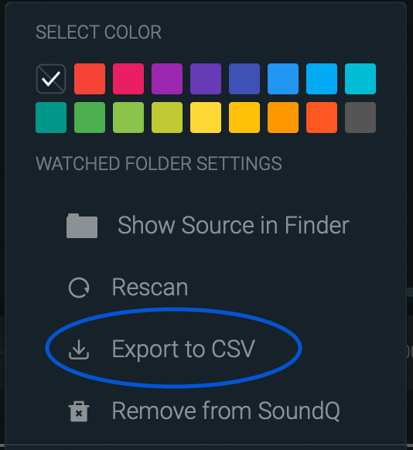
Many sound designers have asked for the capability to export individual collections as CSVs for the purposes of metadata editing, sharing collections across multiple users, and backing up collections so they can never get lost. Just right click on a collection, or access through the three dot menu to the right of the collection to bring up the collection context menu, and choose “Export to CSV.”
We’re also working on a holistic revamp to the way our cloud collections work, which will be rolling out later this year. This is going to make some substantial improvements to SoundQ’s stability and reliability, so we’re very excited to get this done! We’d encourage you to backup any of your important collections using this CSV feature just to make sure you don’t lose any of your organization work. More to come on this in the coming months!
Optimizations to the Watched Folders
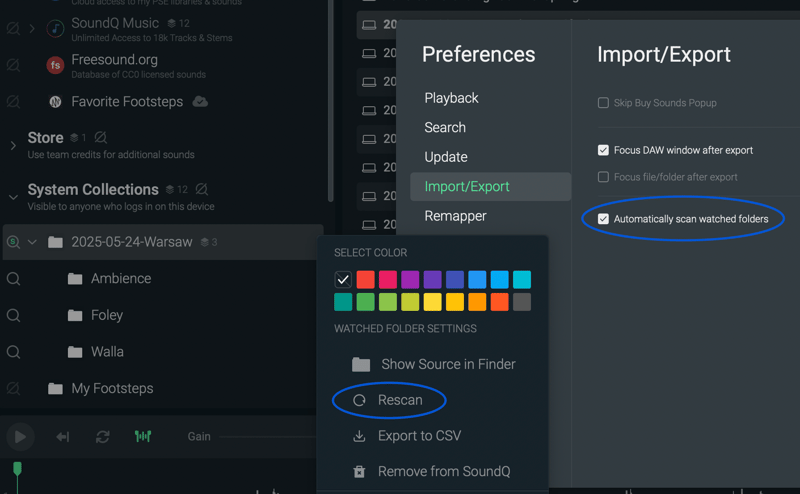
We announced our Watched Folders feature earlier in 2026, and have received some great feedback from teams who have been putting it through its paces since then. One of the most requested features related to this was for teams with massive libraries that can take a long time to scan. You can now set scanning preferences within the settings panel, so you can disable auto scans on startup, and just right-click on a folder and choose “Rescan” when you want it to update.
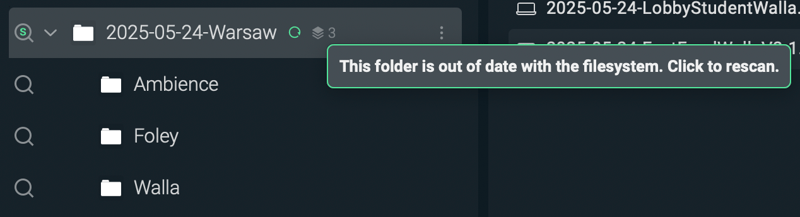
A green circle will also appear next to folders that have been changed but not yet scanned. You can simply click on that green circle to update.
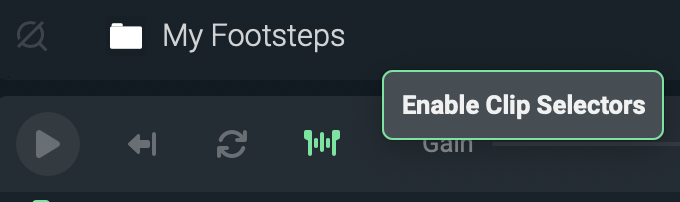
Enable / disable waveform selections
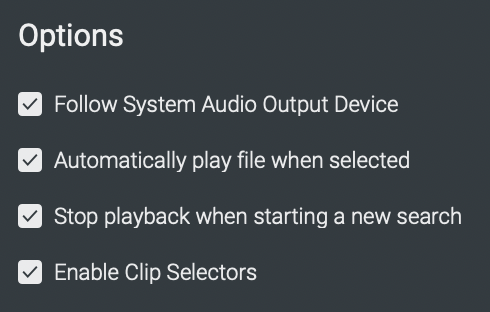
When using Drag & Drop to transfer files from SoundQ to another application, you can inadvertently select a region on the waveform, especially if you’re using a Wacom tablet or something similar. Now, you can enable or disable this option from the toolbar or preferences panel.
Reveal a file's original collection
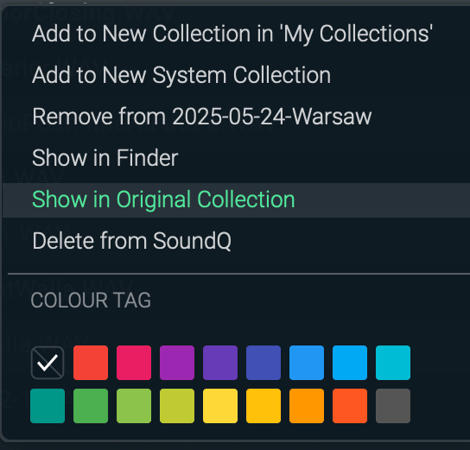
If you have a massive set of Watched Folders, it can be helpful to navigate from a sound back to its source folder. While we’ve always had the option to reveal the original file in Finder or Windows Explorer, you can now right-click on a sound and navigate back to the folder/collection that it’s contained within.
Media Composer improvements
We’ve added some additional metadata fields to pass through from SoundQ into our Media Composer panel, which means the audio you transfer will retain all that metadata through transcoding and the editorial process.
Improvements to our offline support
If you work in an environment where internet access is limited, we’ve made it possible for you to sign into SoundQ just once, and then operate offline from that point forward. No more annoying prompts to log in!
There are stacks of other fixes and improvements in this release too, all based on the feedback we get from our clients, so please continue sharing your insights!
Try It Out!
Try out the newest version of SoundQ and let us know what you think. Get started on the Free tier with no strings attached. If you already have SoundQ installed, simply open the app and you will be prompted to download the latest version.